See everything you’re juggling at a glance.
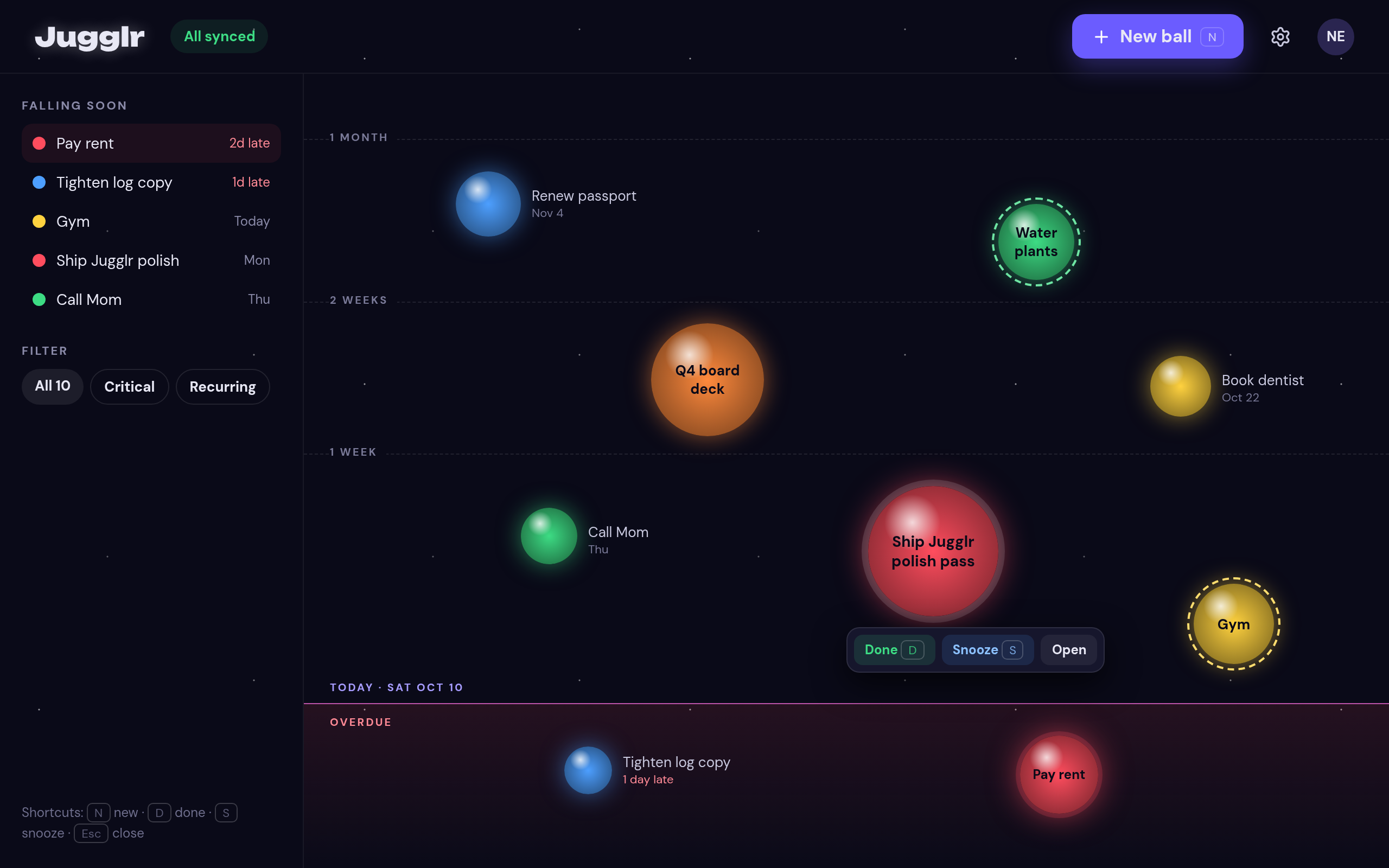
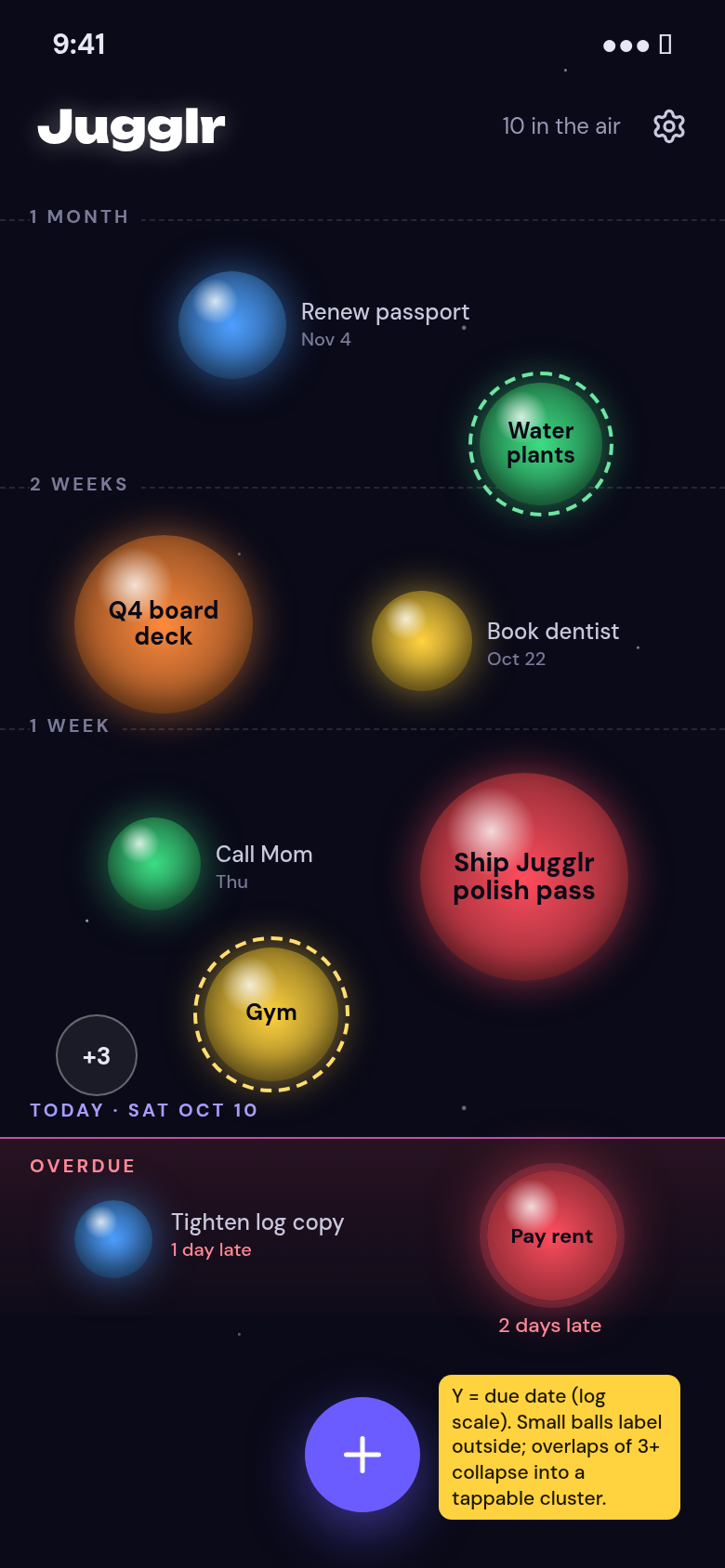
In Jugglr, every task is a ball on a timeline. Big balls take more effort, and the color tells you how much it matters. You can see what your week really looks like before it gets away from you.
The sandbox is for trying things out. Nothing syncs, and everything you add disappears when you reload the page.
Why it exists
Importance, Urgency and Effort - normal to-do lists can’t visualize all three. You need multiple clicks to add all those values in traditional apps. With Jugglr, you can see all that at a glance.
Benefits
Size shows effort.
A quick reply is a small ball, and a big project is a large one, so you can spot a crowded day right away.
Color shows importance.
The tasks that matter most stand out from the ones that can wait.
Everything sits on a timeline.
You see when things are due in relation to each other, instead of reading them one line at a time.
One swipe to finish or snooze.
Mark a task done or push it out with a single swipe.
How it works
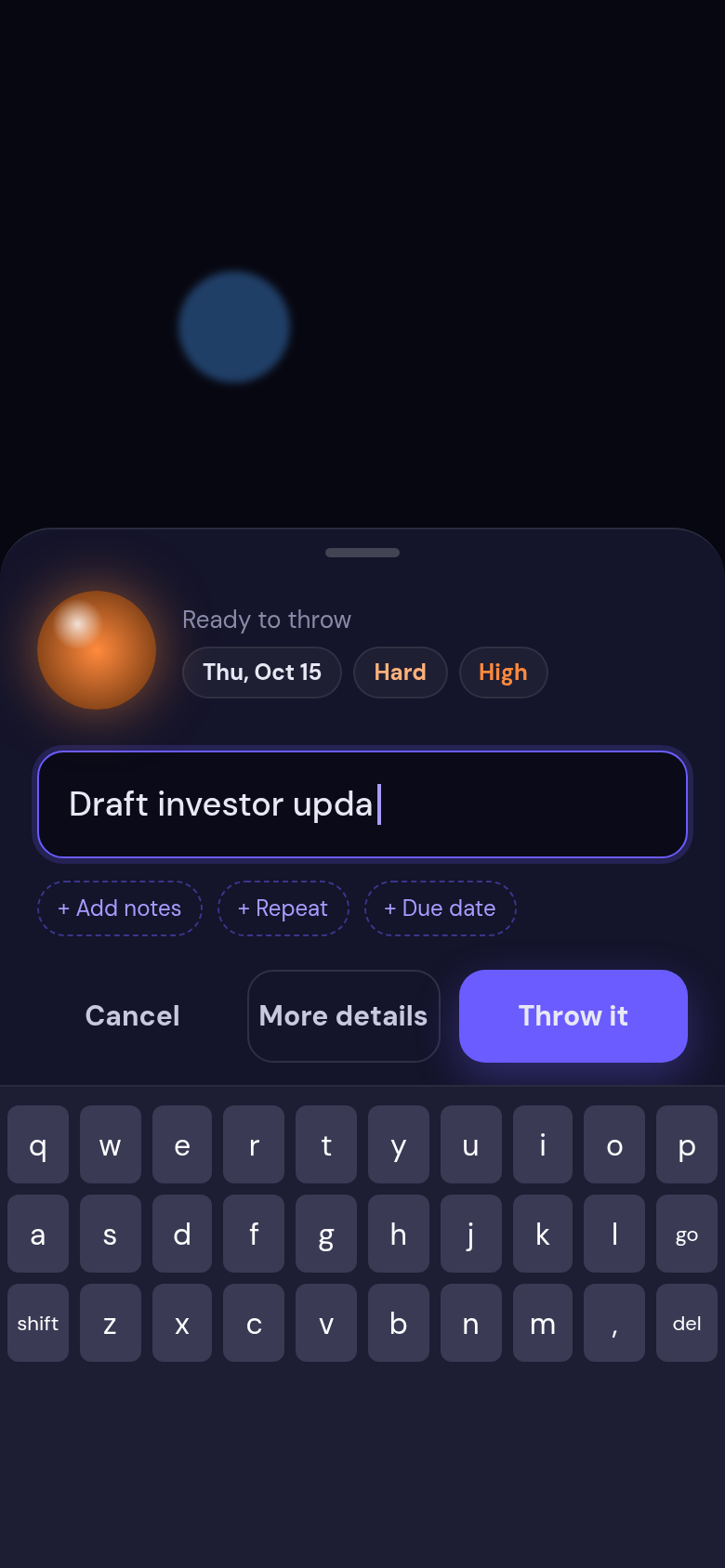
Add a task and place it on your timeline.
Set its size for how much effort it will take and its color for how important it is.
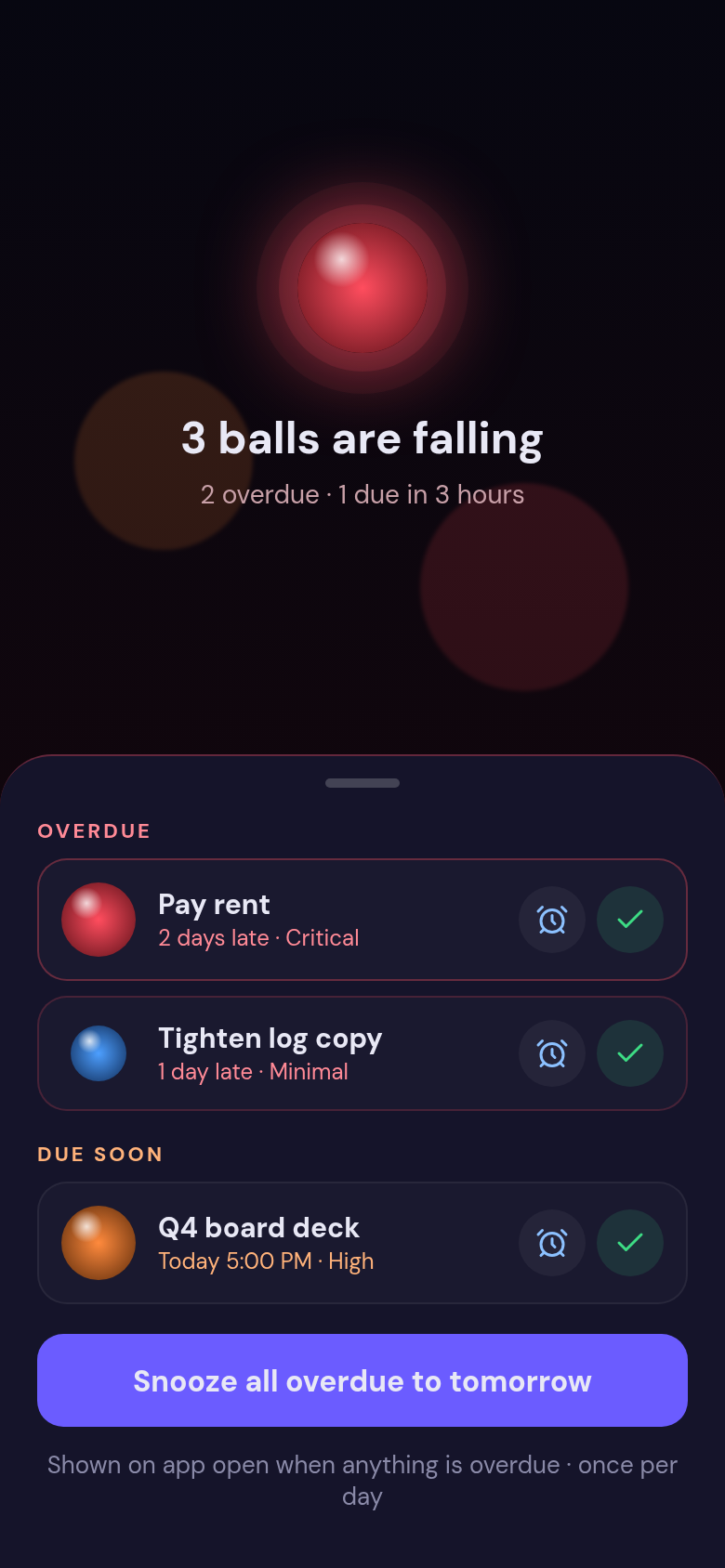
Look over your timeline to see where your time and energy are going.
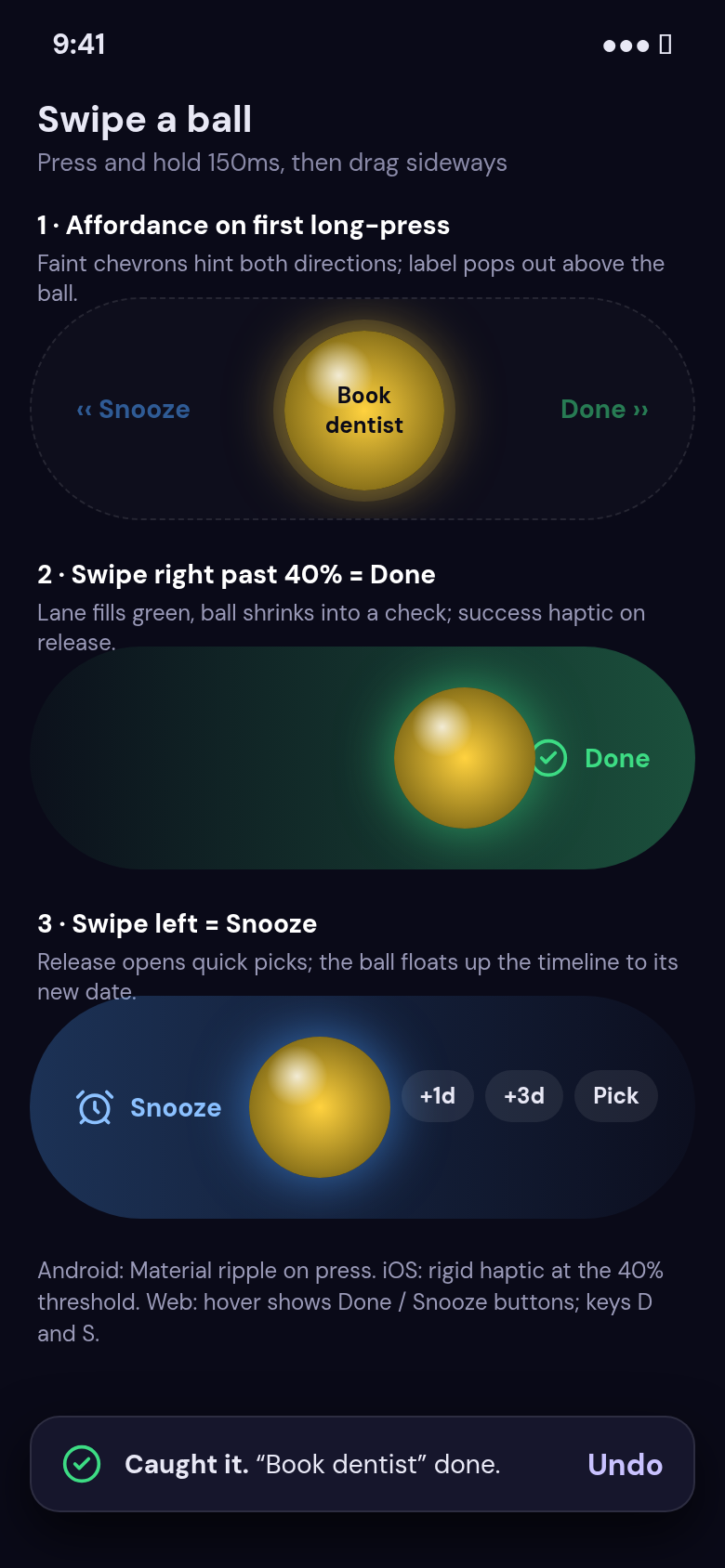
Swipe a ball to mark it done, or swipe to snooze it for later.


